

 Passport Guide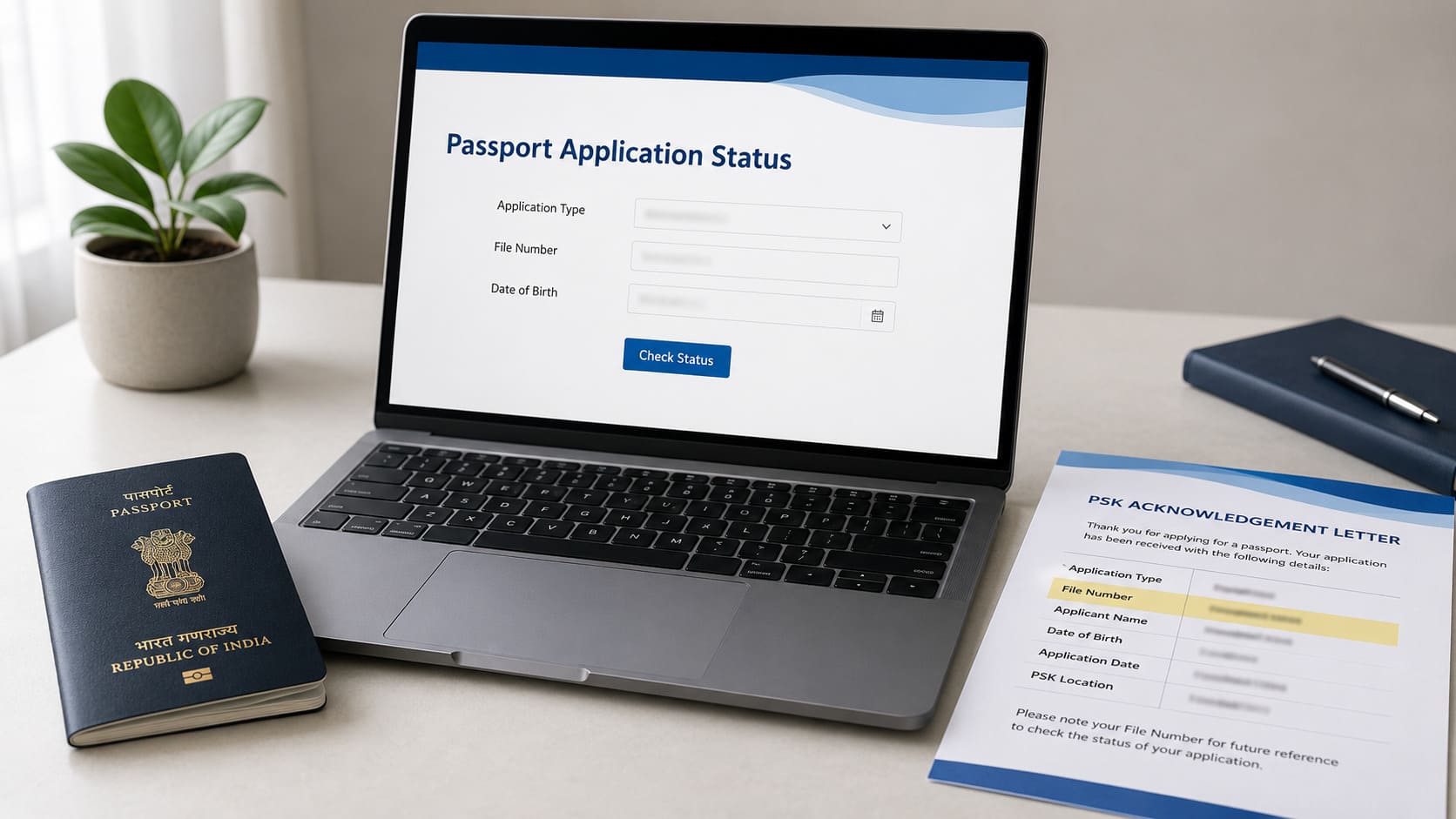
You can check passport status online using file number and DOB on Passport Seva. DOB is date of birth. The Passport Seva tracker asks for application type, file number, and date of birth.
Read ahead after submitting an ordinary passport application in India. The page covers Passport Seva tracking, file number location, app tracking, SMS status, result screen checks, and missing-result steps. Avoid Aadhaar number, mobile number, or passport number in the file number field.
Your file number comes from the PSK acknowledgement letter. Passport Seva marks it as a 15 digit alpha-numeric number on the top right corner of that letter. Have the letter ready before you start.
Information checked on 1 July 2026. Use Passport Seva for live status. Page information only. No legal or immigration advice.
Need Expert Help on Your Passport Application?
Our passport agents handle forms, documents, and just one call away..
Takeaways
- Use Passport Seva Track Application Status first.
- Have application type, file number, and DOB ready.
- Find file number on your PSK acknowledgement letter.
- Use mPassport Seva for phone tracking.
- Send
STATUS <File Number>to9704100100. - If no result appears, check each detail again.
What you need before checking passport status
You need application type, file number, and date of birth before checking passport status. Passport Seva marks these fields as mandatory on the Track Application Status page. Have the details ready before opening the tracker.
| Detail | Use | Avoid |
|---|---|---|
| Application type | Service selected for your file | Wrong service type |
| File number | Number from PSK acknowledgement letter | Passport number |
| Date of birth | DOB from your application | Different date |
Application type is the service chosen during your application. Match every letter and digit in the file number. Enter the same DOB used in your passport application.
How to check passport status on Passport Seva
You check passport status on Passport Seva through Track Application Status. Passport Seva PDF gives the flow: visit the portal, select Track Application Status, choose application type, enter file number and date of birth, then select Track.
Follow these steps in order. Have your acknowledgement letter near you while typing.
- Open the official Passport Seva website.
- Select Track Application Status from Passport Services.
- Select the application type for your file.
- Enter your file number in the field.
- Enter your date of birth.
- Select Track Application Status.
Check the file number before selecting the button. One wrong character can block the result. Avoid Aadhaar number or passport number in that field.
Where to find your passport file number
You can find your passport file number on the PSK acknowledgement letter. Passport Seva shows the file number on the top right corner. The number has 15 alpha-numeric characters, with letters and numbers.
You receive the acknowledgement letter at the PSK exit point after submission. Have that letter ready until your passport file closes. Use the file number from that letter for status tracking.
Your passport number is a different ID. A passport number appears on the passport booklet after issue. The file number tracks your application before issue.
If the letter is lost, contact Passport Seva help. The website tracker still needs the file number. Avoid private pages that ask for extra personal details.
How to check status on mPassport Seva app
You can check passport status on the official mPassport Seva app. Passport Seva states that status tracking uses file number and date of birth. The same official page also mentions delivery tracking for dispatched passports.
Use the app when checking from your phone. Have your file number and DOB ready before opening the status option. Use only the official app source linked from Passport Seva.
Avoid apps with copied names or copied logos. If the app answer is missing, use the website tracker. The website tracker remains the main official method.
Check passport status through SMS
Passport Seva supports SMS status with your file number. The official access page lists the format and number. Use the format exactly as shown.
Type the message exactly in the format below. Send the SMS to number 9704100100.
STATUS <File Number>
Example:
STATUS BNG071268435013
Replace the sample file number with your own file number. Leave one space after the word STATUS. Use file number only, without DOB or passport number.
Check Passport Seva before use because the number can change. No current charge source was confirmed from the official page checked here. The article keeps charge details out for accuracy.
What the status screen can show
The status screen shows the latest status for your passport application. Passport Seva PDF shows a Status Tracker screen after file details. Read the status line before reading anything else.
The screen may show:
- Application type
- File number
- Date of birth
- Latest application status
- Status text from Passport Seva
Avoid random status lists as proof for your file. Passport Seva wording can differ across files and stages. Hide personal details before sharing a screenshot.
Cover file number, DOB, name, address, barcode, and receipt number. If no result appears, check your entered details first. A status screenshot needs privacy before sharing.
What to do if your passport status does not appear
Check application type, file number, and DOB again first. A blank result alone has several possible causes. Start with the details typed into the tracker.
Use this order:
- Check the application type.
- Check every file number character.
- Match DOB with your application.
- Use the official tracker again.
- Contact Passport Seva help if needed.
Passport Seva Call Centre can help with application status. You can speak to a Call Centre executive or enter your file number in the IVR system. The official Call Centre number is 1800-258-1800.
Avoid police verification conclusions from a blank result. Check the entered details first. Use Passport Seva help if the result remains missing.
When Passport Agents can help
You can ask Passport Agents for support after checking Passport Seva first. Ask for support when the status text is hard to read. Ask for support when your file number source is missing.
Passport Agents can help you review status wording. Passport Agents can help you prepare the next official step. Passport Agents can help you avoid using the wrong number in the tracker.
Passport Agents have no authority to approve passports. Passport Seva records remain under official control. Police verification results remain outside private service control.
Passport issue dates remain official government decisions. Use Passport Seva for live application status. Use Passport Agents for reading support and preparation support.
Frequently asked questions
Can I check passport status without file number?
You need file number for the domestic tracker checked here. Check the PSK acknowledgement letter or contact Passport Seva help.
Can I check passport status by name, Aadhaar, or mobile number?
Only use name, Aadhaar, or mobile if Passport Seva shows such fields. The current tracker asks for application type, file number, and DOB.
Is file number the same as passport number?
Your file number and passport number are different. Your file number tracks the application before issue. Your passport number appears on the booklet after issue.
Can I track PCC status on the same tracker?
Passport Seva PDF covers Passport Applications and PCC status. Check the current application-type dropdown before selecting PCC.
How do I track passport delivery after dispatch?
After dispatch, delivery tracking differs from application status. Passport Seva postal dispatch page points to India Post Speed Post Tracking Utility.
Does the tracker show police verification status?
The tracker shows the latest status for your file. Use police verification timelines only from official sources.
Final next step
Open Passport Seva Track Application Status with your file number and DOB. Check every character if no result appears. Contact Passport Seva help if the result remains missing.
Ask Passport Agents only for reading or preparation support. Keep live status checks on Passport Seva.
Still Confused About the Process? Talk to a Passport Agent Today
Official sources
- https://services2.passportindia.gov.in/psp/trackApplicationService
- https://passportindia.gov.in/AppOnlineProject/pdf/Steps_to_Check_Application_Status.pdf
- https://www.passportindia.gov.in/psp/AccessInformation
- https://www.passportindia.gov.in/psp/passportApp
- https://www.passportindia.gov.in/psp/FaqCallCentre
- https://services1.passportindia.gov.in/psp/FaqPostalDispatchTracking